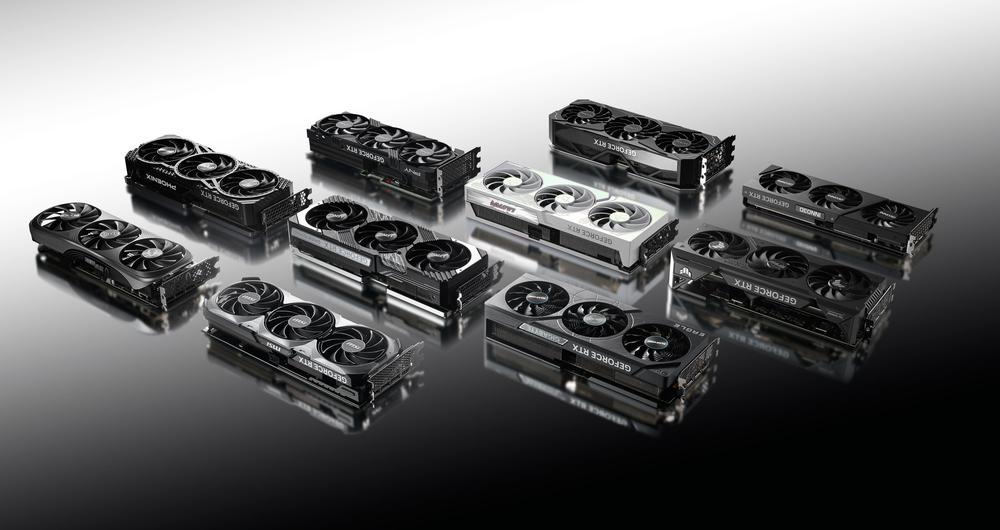
Whether you’ve been playing PC games for years or you’re building your first gaming PC, picking the right graphics card is probably one of the most consequential choices. It doesn’t help that now there’s three companies making graphics cards, which means there are more options out there than ever before.
But there are a lot of reasons to pick an Nvidia graphics card over one made by AMD or Intel. For one, whether you love it or hate it, Nvidia has plenty of software and features that are exclusive to its graphics cards, whereas things like FSR (FidelityFX Super Resolution) from AMD will work no matter what GPU is in your system. Features like DLSS, or Deep Learning Super Sampling, make an Nvidia graphics card an attractive choice.
Nvidia also has the most powerful graphics cards on the market right now, especially at the high-end. There simply is not another graphics card that can match the RTX 5090 in pure performance. But even when it comes to more affordable graphics cards like the RTX 4060 Ti, the AI upscaling offered by DLSS can really help stretch the performance, and can even push into higher resolutions than you would otherwise be able to.
It's still important to figure out what resolution you want to play games at, because that’s going to change what type of graphics card you want to go for. If you want to play all the newest PC games at 4K with all the settings maxed, you’re going to need a much more powerful card than someone that just wants to play World of Warcraft at 1080p.
While graphics cards are extremely complicated devices, shopping for one doesn’t need to be that much of a hassle. As long as you keep an eye out for some simple specs, you should have a pretty good idea of what you’re getting into.
The most obvious thing to look for is whether or not your graphics card is actually part of the current generation. You don’t want to miss out on performance or features, especially if you’re spending hundreds of dollars on just one part of your computer. With Nvidia graphics cards, this is actually extremely easy, just look at the two numbers following the ‘RTX’ or ‘GTX’ in the graphics card’s name. Nvidia just launched its newest generation of graphics cards, which are labeled with '50.' If it’s ‘40,’ that’s the previous generation from 2022; ‘30’ and ‘20’ are the two generations before that.
Don’t get me wrong, getting a 30-series or 20-series card will still provide an excellent gaming experience, with the RTX 3080 still able to power most games at 4K without breaking a sweat.
But what about the second two numbers? Well, take a look at the RTX 5090, the top-end graphics card on the market. Then, take a look at the RTX 4050, which is only a laptop GPU, but is way weaker. The scale typically goes from 50-90, with the higher number meaning a more powerful graphics card. Nvidia does sometimes add extra letters or words at the end of its graphics cards, with ‘Ti’ and ‘Super’ being common variants. This typically means a slightly more powerful card. For instance, the Nvidia GeForce RTX 5070 Ti is going to be slightly more powerful than the RTX 5070. The basic rule of thumb is that, after the number, any extra letters or words typically indicate a faster graphics card.
When it comes to specs, graphics cards have a lot of numbers and lingo to swallow, which can definitely be overwhelming. But if you just want to slot a GPU in your rig and forget about it, you don’t need to pay attention to every little detail.
The amount of VRAM you need is going to largely depend on what resolution you want to play your games at. If you want to play games at 4K, you’re going to want as much video memory as you can afford. There are games that will eat up upwards of 20GB of VRAM at that resolution if you let them, so the sky really is the limit. For lower resolutions like 1080p, however, you can get by with 8GB of RAM, though I would recommend going with a 12GB or 16GB card if it’s in your budget. An 8GB card will get you through most games, but there is a growing number of AAA PC games that need more memory.
There are some other specs you can look at if you really want to, like clock speed, CUDA core count and Streaming Multiprocessors – what Nvidia calls its compute units – but those largely just get better as you get a more high-end graphics card either way. Compute Units are essentially the same as CPU cores on a processor, and each one contains 128 CUDA cores. So, the RTX 5080 with its 84 Compute Units, contains a total of 10,752 CUDA cores. Just keep in mind that directly comparing two graphics cards of different generations by the core counts alone won’t tell you how much of a performance jump it’ll be.
Once you’ve picked the graphics card you want, you need to make sure you have a power supply that can handle it. You can usually check the box your graphics card comes in to get an idea of how much power the card requires, and if not, Nvidia has it listed out on its website. My advice would be to check the required power for your graphics cards and then get a power supply that can provide just a bit more wattage. For instance, if your graphics card recommends a 450W power supply, I’d get a 550 or a 650W unit just to be on the safe side.
The first wave of Nvidia Blackwell graphics cards are all here, and it seems like that's all we're going to get for now. Usually, Team Green would follow up its first wave of graphics cards with refreshed "Super" variants. However, nothing in the world of PC gaming hardware is normal right now, and it looks like the Super lineup has been canceled in the face of high RAM prices and AI datacenter demand. Right now, it looks like we'll be waiting for the RTX 6090 whenever that comes out – likely sometime in the second half of 2027.
Deep Learning Super Sampling, or DLSS is an AI upscaling method that uses Nvidia’s Tensor Cores to improve image quality. The Tensor Core will take visual data from the frame being rendered, along with motion vector data, in order to accurately upscale the image to a higher resolution. This process results in an image that looks pretty close to the native resolution, but with a much higher frame rate.
In its early days, DLSS needed to train the AI model on each game it would support, with developers needing to upload data to Nvidia. However, DLSS has gone through several iterations, and now it does not need to be trained on individual games. Instead, if a developer wants to include DLSS in their game, they can just inject Nvidia’s API into the game. This means more games can support the technology, without having to wait for Nvidia’s training on each game.
With DLSS 3.0, Nvidia added Frame Generation to the equation. This technology takes the visual data from two frames, along with motion vector data from the game engine and motion information from its own hardware, and creates an entirely new frame that’s sandwiched between the two original frames. This would introduce a lot of latency, but Nvidia requires its Reflex technology to be enabled before Frame Generation can happen. Reflex essentially syncs the graphics card and the processor, eliminating the need for the CPU to queue up frames for the GPU to render later.
Nvidia updated to DLSS 4.0, then later 4.5, which introduced multi-frame generation and a new upscaling model. The new frame generation lets RTX 5000 graphics cards use AI to generate up to three frames per rendered frame, greatly improving framerates. The new DLSS also moves the upscaling algorithm to a transformer model, which allows for much better image quality, though with a slight hit to performance. But, hey – that's what frame generation is for, I guess.
Together, Frame Generation and Reflex greatly improve your frame rate, but there’s a catch. Because so much of it relies on motion data, you already need to have a decent frame rate for Frame Generation to work smoothly. So, this technology is best used for folks that can already get 60fps or more and just want to push to a higher frame rate.
Ray tracing is just a way to render light realistically. It does this by taking a light source, then simulating each ray of light as it bounces around the scene. It’s a simple concept to be sure, but it ends up requiring a ton of compute power to pull off. Any light being cast potentially has thousands of rays of light, each of which will bounce around hundreds of times, multiply that by needing a new frame 60 times a second, and you can imagine how much power you need to pull it off.
That’s why ray tracing in video games needs specialized hardware to pull this lighting method off without grinding your framerate to a standstill. Luckily, Nvidia has been working this hardware into its graphics cards since the RTX 2080 in 2018.
Fast forward to today, and even with that dedicated ray tracing hardware being built into every mainstream graphics card – not just from Nvidia – we still need to limit ray tracing in order to maximize performance. There are only a few games that support full ray tracing, or ‘path tracing,’ with most other games limiting the ray tracing elements to a certain part of the scene, like shadows or reflections, and also limiting the amount of bounces calculated for each ray of light.
It’s an expensive way to generate lighting, but it looks incredible, especially in games that rely on lighting for atmosphere. In Metro Exodus, for instance, the accurate lighting often leads to darker environments, amplifying the intense atmosphere the game already has.
 AI companies want you to stop chatting with bots and start managing them