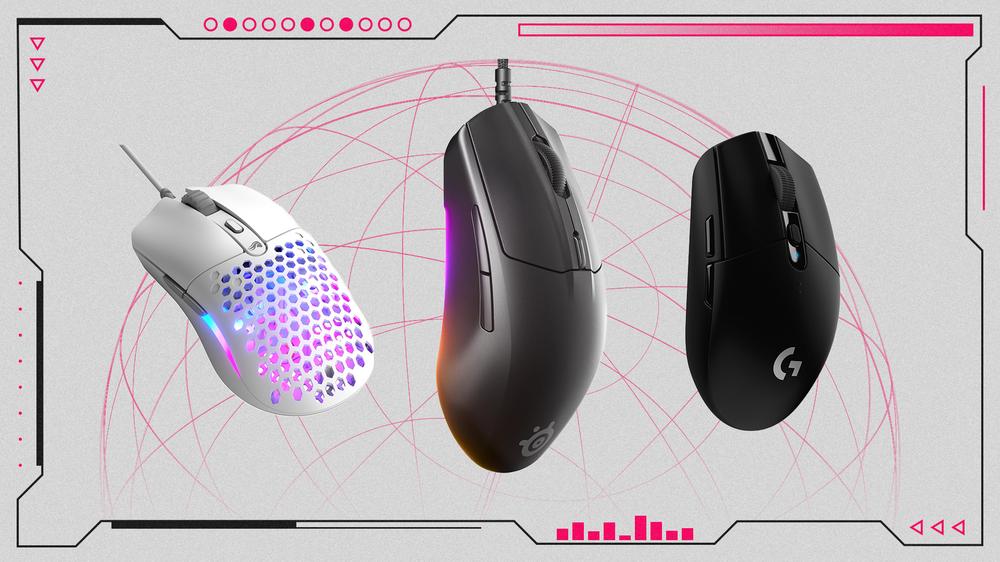
Not every good gaming mouse costs more than $100. There are plenty of perfectly capable options that you can find for an absolute steal, like our favorite budget gaming mouse, the SteelSeries Rival 3 Gen 2, with its reliable performance and durable build for under $50. Here are five of the best budget gaming mice money can buy right now.
These mice all nail the basics, delivering accurate tracking, a comfortable grip, dependable controls, and a reliable connection. You may miss out on features like saving profiles, RGB lighting, or rechargeable batteries, but those are hardly a sacrifice considering the savings. Instead, you can put that extra dough toward other peripherals like a nice gaming keyboard or headset.
Best Budget Gaming Mouse
Best Budget Wireless Gaming Mouse
Best Budget Ergonomic Gaming Mouse
Best Ultra-Cheap Budget Mouse
Best Budget Ultra-Lightweight Gaming Mouse
When grabbing a budget gaming mouse over their more expensive counterparts, you’ll probably have to sacrifice a few features, whether that’s extra programmable buttons, a lower DPI sensitivity, or wireless functionality. One thing you should never settle for is subpar performance, and all of our picks are ready to game. But if you’re looking to branch out on your own when purchasing an affordable gaming mouse, we discuss what to seek out below to ensure the mouse is up to snuff.
To start, you want an comfortable mouse that feels great in hand. Some people grip with their fingertips, while others use a claw or palm grip, so the shape of the mouse is important. For left-handers, you’ll have a far more limited pool and often be stuck with ambidextrous options, but there are a good amount of ergonomic right-handed mice.
Next, you need to decide on wired versus wireless. These days, the differences between the two are negligible, though the price will increase to drop the wire. You’ll have to consider battery life and weight as well when going wireless. A lighter mouse allows quicker and more free movements, while a heavier option adds precision.
The DPI of a mouse is important, and you want an option that lets you switch between sensitivities. If you want to cover your bases for all games, a setting between 400 to 3,600 should be good, and almost every gaming mouse – cheap or expensive – should cover that range.
Beyond that, you’ll want the typical basic controls and maybe a few more inputs that you can also assign macros to perform different functions. A dedicated DPI button comes in handy for those who want to switch from speedy movements to more precise ones, while those into MOBA and MMO games could use a few extra programmable buttons on the side of the mouse.
Other features like RGB lighting can be a cool addition but unnecessary when trying to save. Overall, you want a mouse that fits into your budget and works well with the games you play.
How to Choose a Budget Gaming Mouse
The first and most important thing about choosing the right mouse for you is its shape. For the most part, mice come in exactly two shapes: ambidextrous or ergonomic. While it might seem like a simple choice that all right-handed users should pick an ergonomic shape while left-handed are left with whatever is ambidextrous, the way you hold the mouse is just as important too.
To that end, there are also two primary types of mouse grip: palm and claw. For the former palm grip technique, you'll want a mouse with a tall back that can support your hand, as well as some level of pinky and ring finger support. Claw grippers, on the other hand, should look for a mouse that's relatively short and has a small footprint.
Is it worth buying a cheap gaming mouse?
In this day and age, you really don't have to sacrifice a lot when you're trying to save a buck on a gaming mouse. Many of the cheap options out there offer a high level of DPI and polling rate to keep up with even the best premium gaming mice. That said, not all mice are built equal; some offer more buttons with others are ergonomically designed for a certain handiness (usually for right-handed users), so there are a few things to consider when buying something more affordable.
How much should you spend on a budget gaming mouse?
Although some of the best gaming mice brands have a budget option these days that offer decent quality, that doesn't mean you should buy just any cheap option. Although there are sometimes discounts that drop the price of some good wired mice down near $20, you'll usually want to spend a little bit more to get something you won't be disappointed in. The best budget mice tend to cost anywhere between $30 and $60.
Should you buy a PC controller instead of a mouse?
Honestly, it's completely up to you and your preferences, but some games are more . Most PC games support the use of PC controllers, and it can be cheaper than buying both a mouse and keyboard. It's also worth noting that if you already have an Xbox or PS5 controller, you should be able to connect that to your PC via a Bluetooth adapter.
 Tangled Live-action Movie Finds Its Rapunzel and Flynn Rider