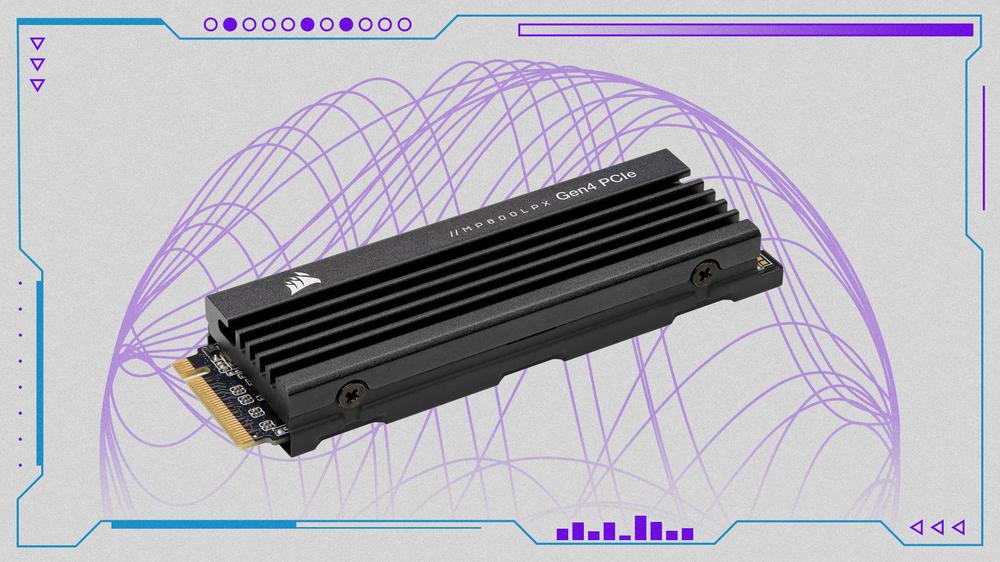
Over the past few console generations with built-in storage, gamers were typically stuck with however much space that came with the console. With the PS5, Sony made a surprising move by including an internal M.2 PCIe slot to install an off-the-shelf SSD to supplement the internal storage. Given that this is the same company that paired the PS Vita and PSP with ludicrously expensive memory cards, this was a welcome change of pace, especially given the paltry 825GB of storage you have to work with. Now you can install high-end PC SSDs like the Corsair MP600 Pro LPX, our No. 1 pick, to load even more games nearly as fast as the extra-special drive that's built into the console itself.
TL;DR - These Are the Best SSDs for PS5:
There are a few restrictions. First, you need a PCIe 4.0 or Gen 4 drive or better. This interface allows for SSD speeds up to 7,500MB/s, which is a huge improvement over the 3,500MB/s for Gen 3 M.2 SSDs. You're also going to need an M.2 drive. The actual physical size of the drive doesn't matter, with the PS5 having screw holes for every size of M.2 drive on the market right now. However, most of the time you're going to want to stick with an M.2 2280 drive – they're the most common M.2 drives on the market.
We also recommend getting an SSD with a built-in heatsink. There are size restrictions on the heatsink itself; it can't be taller than 11.25mm. Luckily, there really aren't many SSDs out there that won't fit. Your PS5 SSD needs a heatsink because PCIe 4.0 SSDs have a tendency to create a lot of heat when under load, and the little cubby where the SSD slot is located isn't exactly ideal for passive airflow over the drive itself. So, you'll need a heatsink just to make sure your drive doesn't overheat and throttle its performance. You can either get an SSD with a built-in heatsink, or get a seperate heatsink – either way will work just fine.
As for capacity, choose however much storage you think you'll need. Most people will probably be fine sticking with a 1TB drive to supplement their system. This will essentially double your available storage, and can store a ton of games, or at least allow you to install Call of Duty: Black Ops 7 and, like, two other games. You can, of course, splurge for a giant 4TB drive and create a huge archive of games, just be aware that these capacious drives have a much higher price tag.
- If you're an Xbox owner, see our roundup of the best SSDs for Xbox Series X
A healthy amount of SSDs are available that pair perfectly with the PS5’s M.2 slot. Given there’s more competition in the space than even just a couple of years ago, you’ll find plenty of high-speed, low-cost drives for a sub-$100 price tag. If you’re looking to amp up storage, you’ll find the price of these drives rises exponentially; bigger drives, like the 8TB SSD from Western Digital, will run you well over $500.
You’ll want to ensure you install an NVMe PCIe 4.0 SSD with maximum dimensions of 110mm x 25mm x 11.25mm or 4.33" x 0.984" x 0.442", including the heatsink. Clearly, the PS5 has some cramped, shallow quarters, leading to high temps, rendering a heatsink necessary to prevent bottlenecking or damage to the drive. Luckily, most drives come with an optional heatsink, but if you need to venture out on your own to grab one, be sure it fits height requirements of under 8mm above the SSD or 2.45mm below.
Beyond size requirements, you'll need at least a PCIe 4.0 SSD, that can reach sequential read speeds of 5500MB/s or faster. Most SSDs will have a rated sequential read speed and write speed advertised, so you can get a pretty good idea of how fast it'll be by looking at the box. When you go to install a PS5 SSD, it will run the drive through its own speed test, which will tell you definitively if it's fast enough to run PS5 games. In my experience, this speed test peaks at around 6,500MB/s, so drives that are significantly faster than this aren't really worth getting for the PS5. These days, most PCIe 4.0 drives are rated for aroun 7,000–7,500MB/s, so you'll be spoiled for choice.
Another thing you're going to want to take a look at is the warranty of the drive. This is more than just marketing hype, most SSDs will be rated for an amount of time, usually five years, along with an endurance rating, measured in TBW. This stands for 'Terabytes Written' and measures how much data can theoretically be written to the drive over its lifespan before it fails. This doesn't mean that a drive rated for 700TBW will fail after you fill it 700 times, but instead that it should last at least until that point.
You'll also want to look at the type of NAND memory the SSD is built from. There are three types of NAND that are typically used: QLC, TLC and MLC. The main difference between the three are endurance, with QLC lasting the least amount of time, and MLC being the most durable. Of course, this will also affect the price of the drive, with QLC drives usually being the most affordable drives on the market, with MLC NAND typically found on the most expensive SSDs on the market, and are generally meant for creative professionals, rather than gamers. All of the drives on this list are using TLC NAND, which naturally falls somewhere in the middle.
Given the PS5 only offers 825GB of space and the PS5 Slim has 1TB, you’ll more than likely want and/or need more storage. Games like Call of Duty: Black Ops 7 and Baldur’s Gate 3 take up well over 100GB each when installed, so your storage will fill up quickly. The M.2 expansion slot lets you add 250GB–8TB of speedy internal storage. 1TB seems to be the sweet spot between capacity and price, but if you’re looking to put your massive gaming library on one console, you’ll want even more space. Luckily, most mainstream PCIe 4.0 SSDs come in capacities up to 4TB, so you can really build up a library if you have the budget for it.
Beyond an internal SSD, which should be your preferred storage option, you can use an external hard drive. Some external SSD offerings hit relatively high speeds. You can’t run PS5 games on them. However, it will save you the hassle of redownloading larger games, and PS4 titles can be played right on the drive.
Looking for assistance in installing your PS5 SSD after puchase? Be sure to check out our guide on how to upgrade your PS5 storage. Luckily, you don't need to be hardware aficionado to figure it out.
Best PS5 SSD
Best Budget PS5 SSD
Best PS5 SSD Without Heatsink
The Overkill PCIe 5.0 SSD for PS5
Best External SSD for PS5
Is an SSD worth it for PS5?
A good chunk of the PS5’s internal 825GB SSD is taken up by system files, leaving you with a little over 650GB of usable storage space. The PS5 Slim adds a bit more storage, and the PS5 Pro further increases the storage up to 2TB. If you dedicate yourself to only a few games at a time, those smaller storage amounts should probably be enough. But if you like having several games on the go, or are a fiend for live service games that tend to balloon in size as more updates and content packs are added, you’ll soon find yourself hitting the limits of the PS5’s storage. At that point, get yourself an SSD. It's one of the best PS5 accessories you can invest in.
What speed SSD should I get for PS5?
You’ll need an SSD that’s rated with a read speed of at least 5,500MB/s. In practice, it’s difficult not to find a PCIE 4.0 drive that ticks that box. The higher the speed the better, but keep in mind that the PS5 only really supports speeds up to 6,500MB/s. Getting a faster drive than that certainly won't hurt anything, but the system will bottleneck faster drives, especially PCIe 5.0 SSDs that can have read speeds that reach 14,700MB/s or more.
When is the best time to buy a PS5 SSD?
PS5 SSDs are a surprisingly expensive add on to any PS5 console purchase. Prices have dropped pretty signicantly over the years, but if you're hoping to save as much money as possible, there are a few different times that are best for buying an SSD. The first big one is Amazon Prime Day, which usually takes place in July every year. After that, Black Friday and Cyber Monday are an excellent time to find big discounts on PS5 SSDs online.
Are PCIe 5.0 SSDs worth it for the PS5?
Not really. The PS5 supports PCIe 4.0, and though PCIe 5.0 drives are backward compatible with PCIe 4.0 and PCIe 3.0, the console can’t take advantage of the full read and write speeds of the latest drives. That means it’s not worth the extra money, especially when you can often find PCIe 4.0 SSDs for far less.
Jackie Thomas is the Hardware and Buying Guides Editor at IGN and the PC components queen. You can follow her @Jackiecobra
 December’s Humble Choice Lineup Is Live, Featuring Nine Sols, Streets of Rage 4, and More